Saturday, January 3, 2026
How I Built a Modern Agency Website Using Next.js (My Real Project Experience)
Mohd Ayan
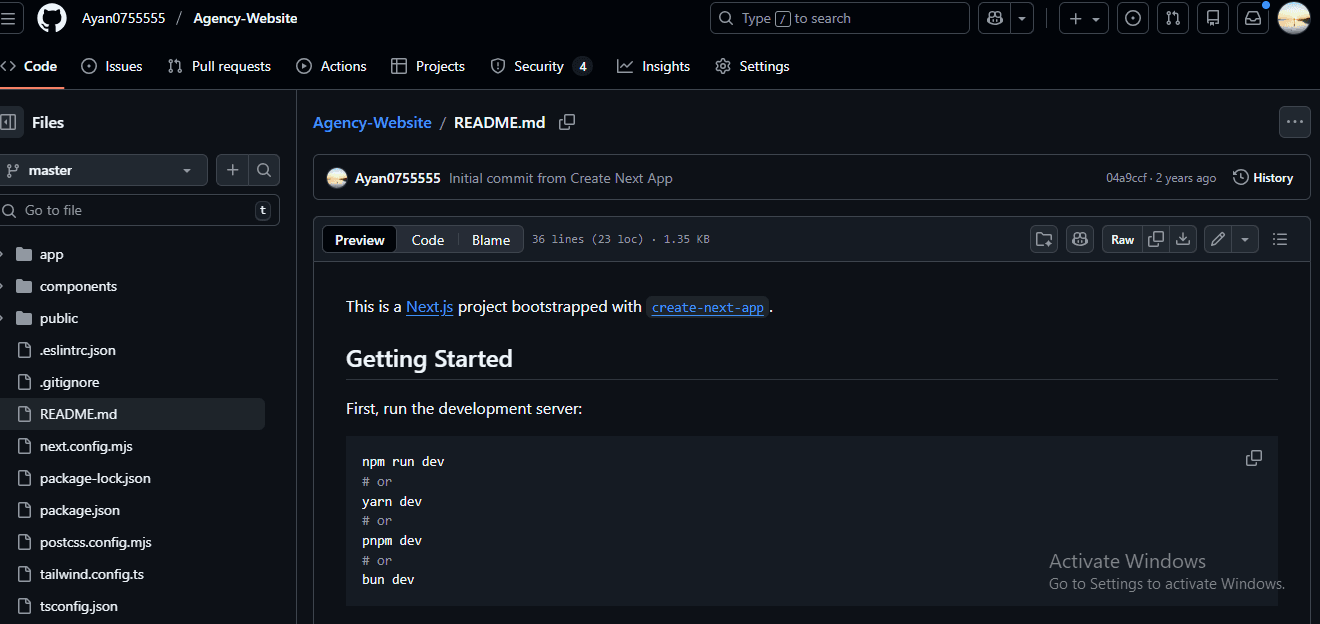
Learn how a modern agency website was built using Next.js, React, TypeScript, and Tailwind CSS, focusing on performance, SEO, and real-world structure.
A detailed breakdown of how I built my agency website using Next.js, React, TypeScript, and Tailwind CSS. Learn the design, structure, and real-world purpose behind the project.
Introduction: Why I Built This Agency Website
Every developer reaches a point where tutorials are no longer enough. I reached that stage when I realized that watching videos and copying examples was not helping me understand how real production websites are built.
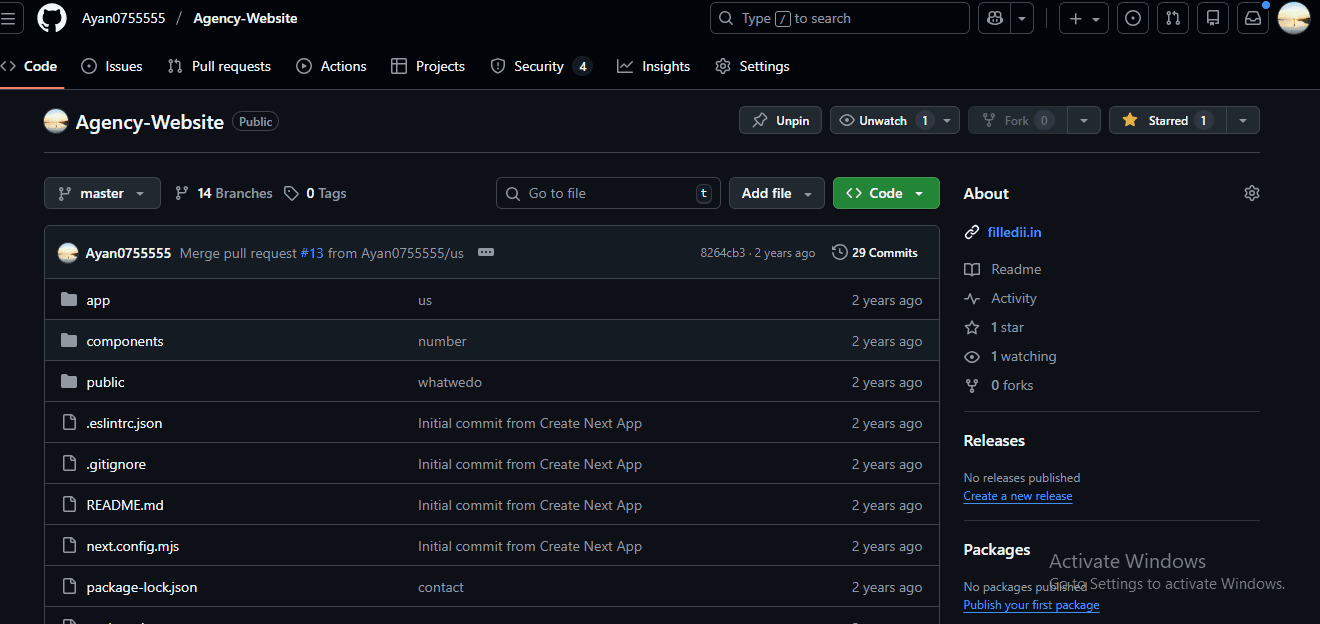
That is when I decided to create my own Agency Website project—not as a demo, but as something that could actually be used by a real agency, freelancer, or startup. This project, which I published on GitHub, reflects how modern websites are designed today: fast, scalable, SEO-friendly, and developer-friendly.
This blog explains why I built this project, how it works, and what I learned, in simple language and from my own experience.
The Goal Behind This Project
The main idea was simple:
Build a professional agency website using modern tools that can be reused, customized, and deployed easily.
I did not want:
- Heavy page builders
- Old HTML templates
- Messy CSS files
- Poor SEO performance
Instead, I wanted a clean codebase that follows industry standards and can scale if the project grows in the future.
Why I Chose Next.js for This Website
I chose Next.js because it solves many real problems that traditional React apps face.
From a developer’s perspective, Next.js makes things easier:
- Routing is automatic
- Pages load faster
- SEO works better
- Deployment is simple
From a business perspective, this matters because:
- Faster websites rank better on Google
- Users leave slow websites quickly
- SEO traffic reduces ad spend
For an agency website, these benefits are critical.
Using React for a Component-Based Design
Instead of writing one large page, I broke the UI into small reusable components.
For example:
- Navigation bar
- Footer
- Hero section
- Service cards
- Layout components
This approach makes the website:
- Easier to maintain
- Easier to update
- Easier to scale
If I want to add a new section or reuse a design, I don’t need to rewrite everything. I just reuse a component.
Why I Used TypeScript Instead of Plain JavaScript
As projects grow, JavaScript alone becomes hard to manage. Small mistakes can cause runtime errors that are difficult to debug.
TypeScript helped me:
- Catch errors early
- Write cleaner code
- Make components more predictable
For an agency or client project, this matters because bugs cost time and money. TypeScript reduces that risk.
Styling with Tailwind CSS (And Why It Works)
I used Tailwind CSS because it allows rapid UI development without writing large CSS files.
With Tailwind:
- Styling is consistent
- Responsive design is easier
- The UI stays clean and modern
Instead of switching between JSX and CSS files, I could design directly inside components. This made development faster and more enjoyable.
For custom styling needs, I also used SCSS to keep things organized.
Project Structure: Clean and Understandable
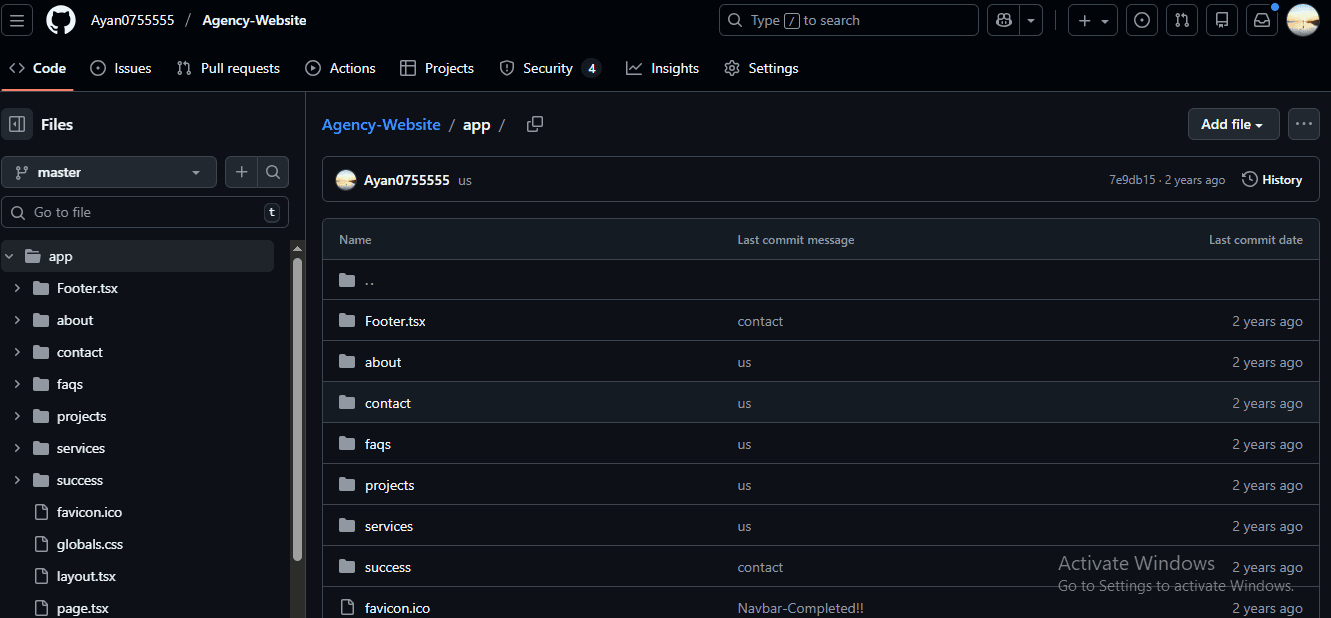
One thing I focused on heavily was project structure. A messy folder structure makes any project hard to maintain.
This project is organized so that:
- Pages handle routing
- Components handle UI
- Styles are centralized
- Assets are easy to manage
Even if someone else opens this repository, they can understand it without confusion.
Features of the Agency Website
This project includes features that are important for real-world usage:
Responsive Design
The website looks good on mobile, tablet, and desktop devices.
SEO-Friendly Setup
Next.js ensures better indexing and faster loading.
Modern UI
Clean layout, professional look, and smooth structure.
Reusable Code
Components can be reused across pages or future projects.
Deployment Ready
The site can be deployed easily using platforms like Vercel.
Who Can Use This Project?
This project is useful for:
- Freelancers building client websites
- Digital agencies
- Startups launching quickly
- Developers learning Next.js
- Personal portfolio websites
It saves time and provides a strong foundation instead of starting from scratch.
Real Learning From This Project
This project taught me more than any tutorial ever could.
I learned:
- How real agency websites are structured
- How to think in components
- How to balance design and performance
- How SEO and frontend architecture connect
- How to write cleaner, scalable code
Most importantly, I learned how to build something practical, not just theoretical.
Why This Project Is Important for Me
This agency website is not just a GitHub repository—it represents growth as a developer.
It shows:
- My understanding of modern frontend tools
- My ability to structure real projects
- My focus on performance and usability
For anyone reviewing my work, this project reflects how I approach real-world development.
Github Links:-https://github.com/Ayan0755555/Agency-Website.git
Final Thoughts
Building this Agency Website using Next.js, React, TypeScript, and Tailwind CSS was a valuable experience. It helped me move beyond basic projects and into real application-level development.
This project can grow further, but even in its current form, it serves as:
- A learning resource
- A reusable template
- A professional showcase
If you are a developer or business owner looking for a modern agency website approach, this project demonstrates how it can be done correctly using today’s best practices.
You may also like

How to Find B2B Leads Using AI in 2026: Best AI Lead Finder Tools
Arjak
Saturday, October 10, 2026

How Over-Optimization Is Killing Natural Learning in the Modern Age
AN
Monday, February 16, 2026

Why Deep Thinking Feels Uncomfortable in Today’s Digital World
Tim
Sunday, February 15, 2026